
Guide
How AI Calling Works for Real Estate Agents
AI calling is not a robot dialer that blasts a recording. In Agent Assist AI it is a conversation the assistant holds with one lead at a time, on a list you supply, using a script you have read and approved — and it stays switched off until you turn it on.
7-day trial · up to 50 AI calling minutes · no card required · calling stays off until you connect your own calling account.
The four stages of an AI calling run
Nothing skips ahead. Each stage has to be finished before the next one is available.
- 1
You bring the list
Upload a CSV of leads you already own — expired, FSBO, withdrawn, high-equity, absentee, a geographic farm, or buyer inquiries. Agent Assist AI does not sell or supply lead data.
- 2
The workflow is reviewed
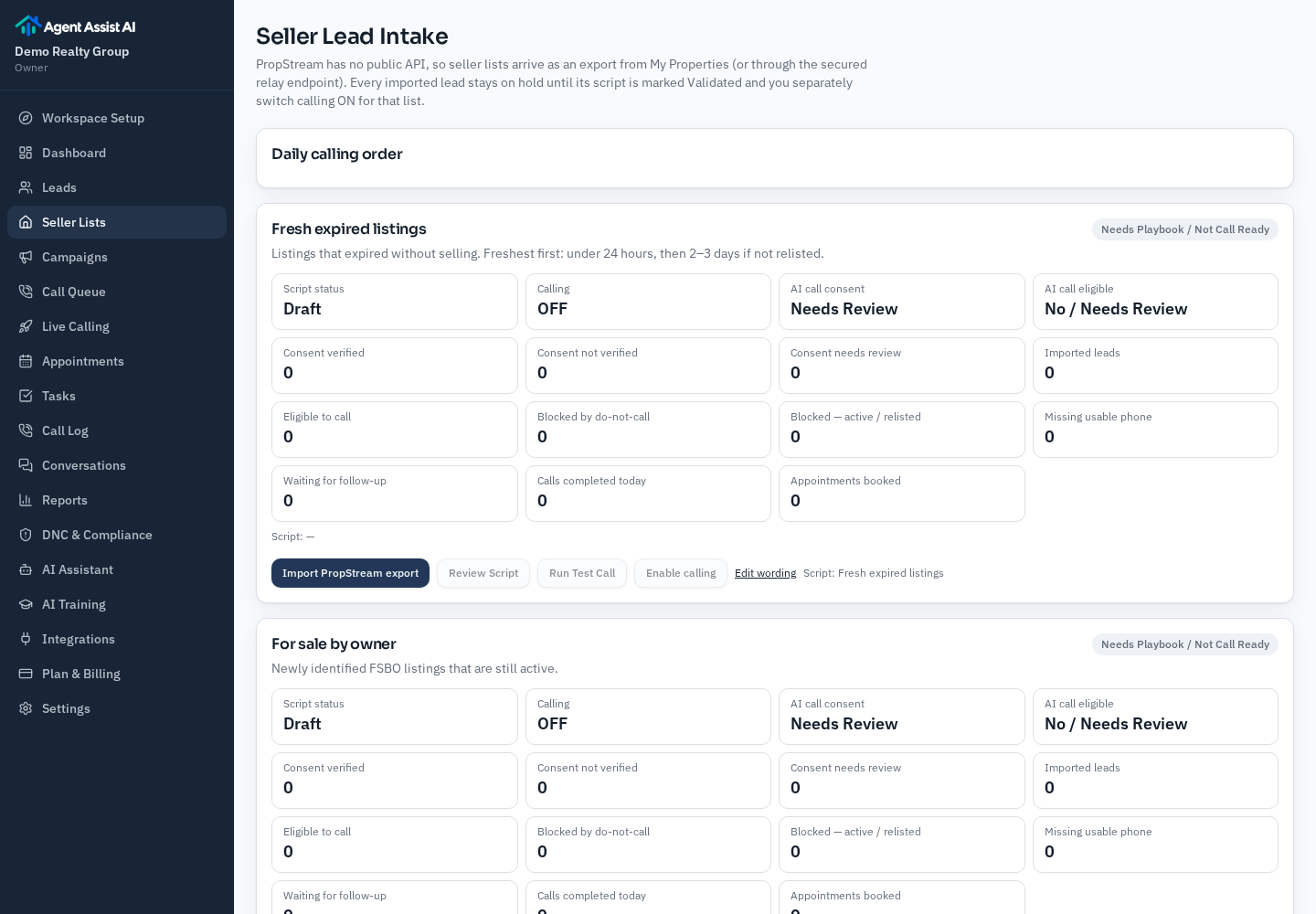
Each list type has its own conversation script. A script moves Draft → Needs Review → Validated before it can be used, and you read it first.
- 3
You switch calling on
Calling is off by default for every list. You connect your own calling account, set calling hours and daily caps, then turn on the one workflow you want to run.
- 4
Calls become records
Every attempt writes back a status, temperature, transcript, summary and follow-up task, plus any requested appointment time for you to confirm.
What the assistant actually does on a call
The assistant opens by saying who it is calling for and that it is an AI assistant. It asks one question at a time and lets the person answer, rather than reading a block of script. For a seller list it is trying to learn whether the person still wants to sell, what the timeline looks like, whether they are already working with an agent, and whether a short call with you would be useful. For a buyer inquiry it is timeline, agent status, area and price range, and property details.
If the person says they are not interested, the call ends there. If they ask to be removed, the number is added to your internal do-not-call list and no further attempts are made. The assistant does not give legal, tax or lending advice, does not quote values it has not been given, and does not promise outcomes.
What you see after the calls
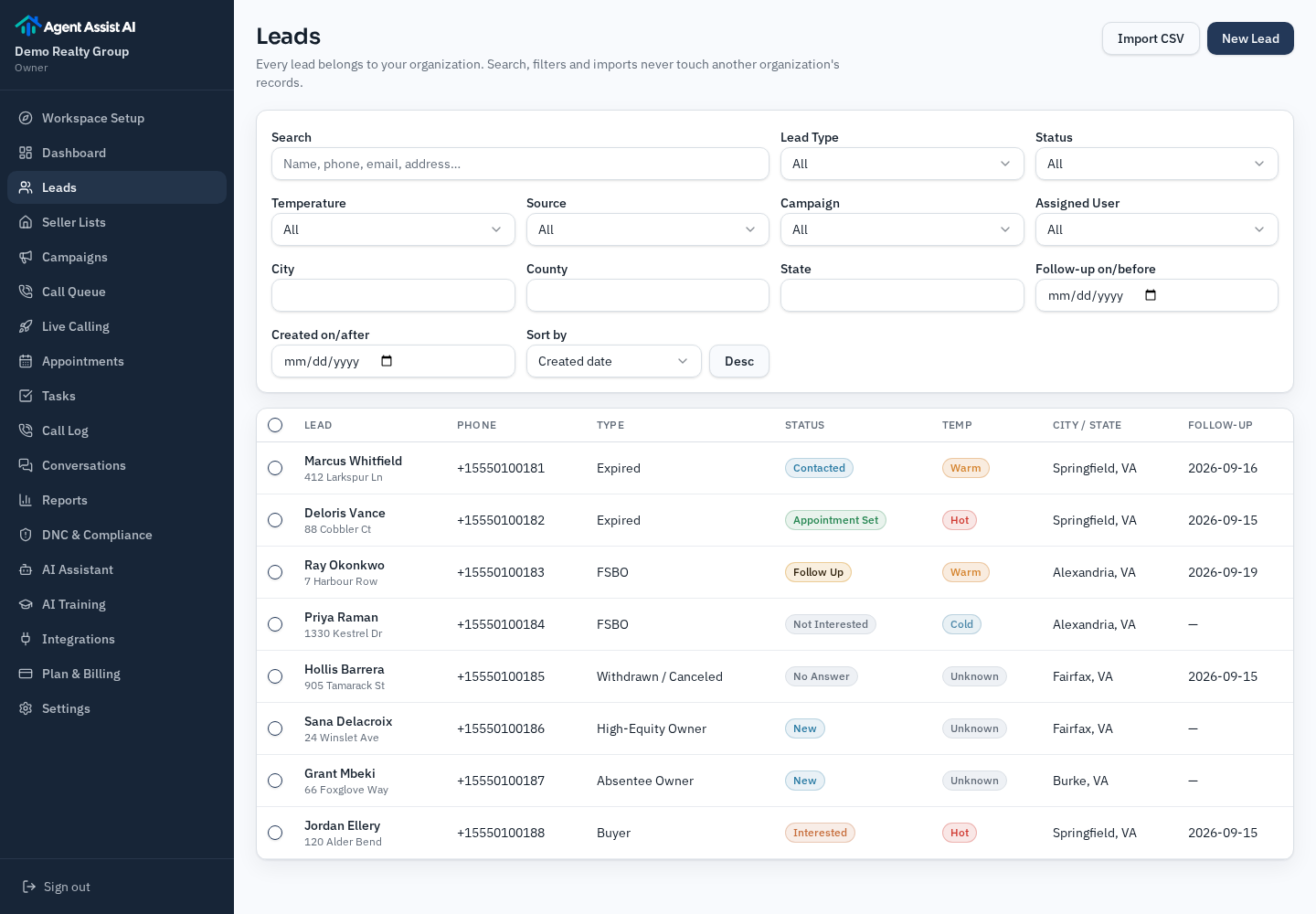
Every attempt lands on the lead record: status, temperature, follow-up date and notes from what was actually said.
Nine workflows, and the difference between available and enabled
There are nine supported workflows: expired listings, for sale by owner, withdrawn or canceled, high-equity owners, absentee owners, circle prospecting, pre-foreclosure, buyer leads and general seller leads. Available means the script and routing exist. Enabled means you personally validated that script and switched calling on for that list.
Pre-foreclosure is deliberately locked for calling because of the extra sensitivity and state-level rules around distressed-property outreach. The other eight can be enabled once reviewed.
Plans start at $99/month
Included AI calling minutes on every plan, with a stated per-minute rate after that. You bring your own lead lists and confirm every requested appointment time yourself.
Frequently asked questions
- Does the AI sound like a person pretending to be human?
- No. The assistant is instructed to say it is your AI assistant and never to claim it is a person. That disclosure line is part of the script you review.
- Does it book appointments on my calendar?
- No. It captures a requested day and time and creates a follow-up task. You confirm the appointment yourself. There is no calendar sync or automatic booking.
- Who is responsible for compliance?
- You are. The platform helps by enforcing do-not-call suppression, consent fields, calling hours, daily caps and AI disclosure, but the calling decisions and lists are yours. US federal rules treat AI-generated voices as artificial or prerecorded voice under the TCPA (FCC, February 2024), so review your obligations before enabling calling.
- How many minutes does a plan include?
- Plans start at $99/month with included AI calling minutes; additional minutes are billed at your plan's stated per-minute rate. The pricing page lists each plan's included minutes and rate.
Try it on one of your own lists
Start the free trial, upload a list, read the script for that workflow, and decide whether to switch calling on.
7-day trial · up to 50 AI calling minutes · no card required.