
Walkthrough
A Walkthrough of Agent Assist AI, Screen by Screen
Five steps, in the order you would actually do them: import a list you already own, check how the leads were categorised, read the script and the calling eligibility for that workflow, look at what a finished call leaves behind, and work the appointment requests and follow-up tasks it creates.
Every screen below comes from a demo workspace — fictional data. Nothing here was a real call to a real homeowner.
7-day trial · up to 50 AI calling minutes · no card required · calling stays off until you connect your own calling account.
Import a list you already own
You upload a CSV export — expired, FSBO, withdrawn, high-equity, absentee, a geographic farm or buyer inquiries. Agent Assist AI does not sell or supply lead data. Before anything is saved you see a preview: how each column was matched, how many rows are duplicates, how many are missing a usable phone number, and how many are suppressed.
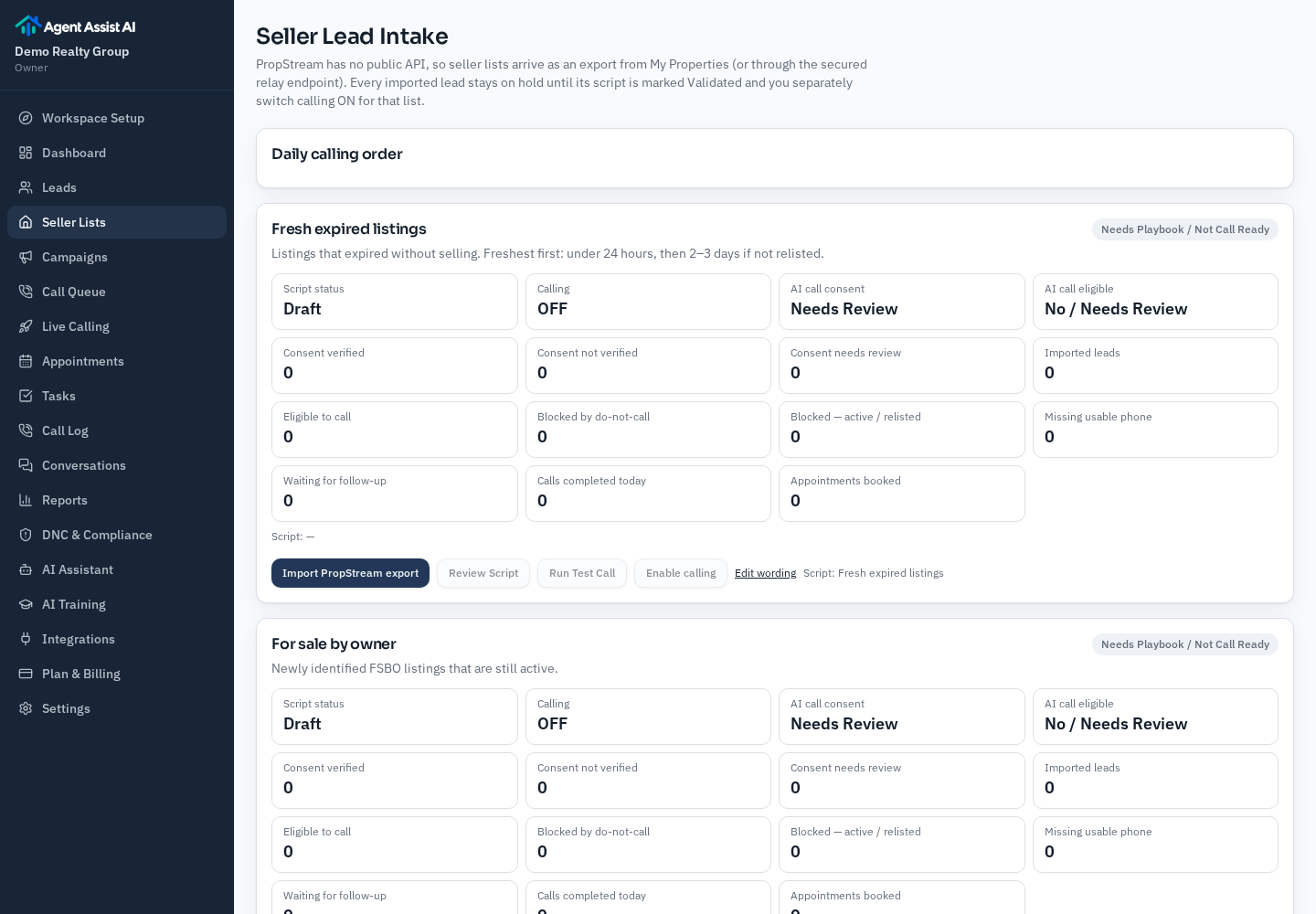
What the preview tells you
- Which of your columns became name, phone, address, city and list category.
- Rows already in your workspace, so the same owner is not loaded twice.
- Rows with no usable phone number, which cannot be called at all.
- Numbers on your internal do-not-call list, which stay suppressed.
- Properties detected as active or relisted, which are held back.
You can cancel at that point. Nothing is imported until you confirm.
Review how the leads were categorised
Category decides which conversation the assistant has. A mixed file keeps its per-row categories, so an expired row is not called with the FSBO opening. You can see the categories on the lead list and correct any row before enabling calling.
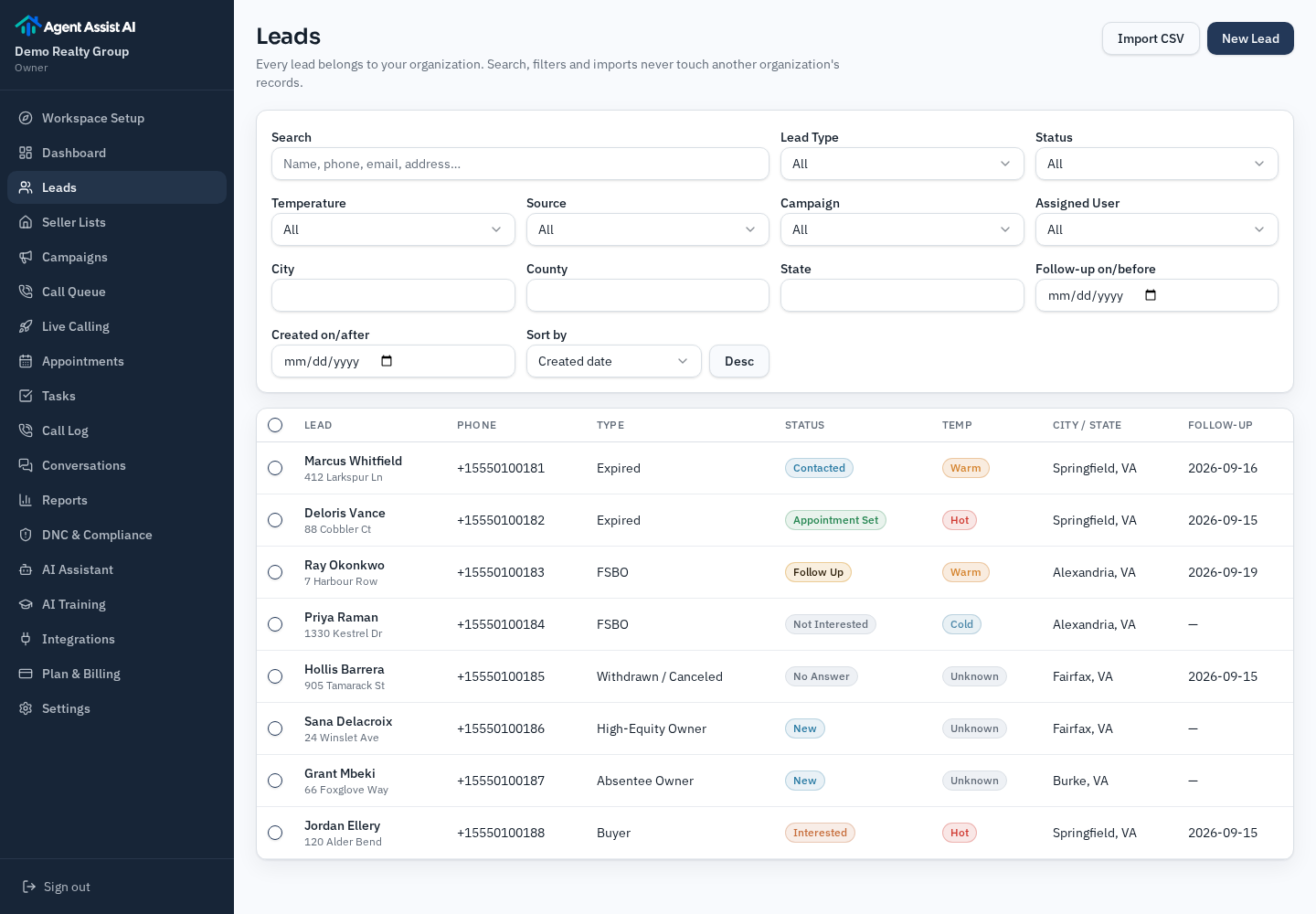
Supported categories
Expired, for sale by owner, withdrawn or canceled, high-equity owners, absentee owners, circle prospecting, pre-foreclosure, buyer leads and general seller leads.
Pre-foreclosure is deliberately locked for calling because of the extra sensitivity and state-level rules around distressed-property outreach. It can be stored and worked manually, but the assistant will not dial it.
Review the script and the calling eligibility
Each workflow has its own script: the opening, the AI disclosure line, the questions in order, the objections it answers once, and what ends the call. A script moves Draft → Needs Review → Validated, and you read it before it can be used. You can also run a test conversation that places no call.
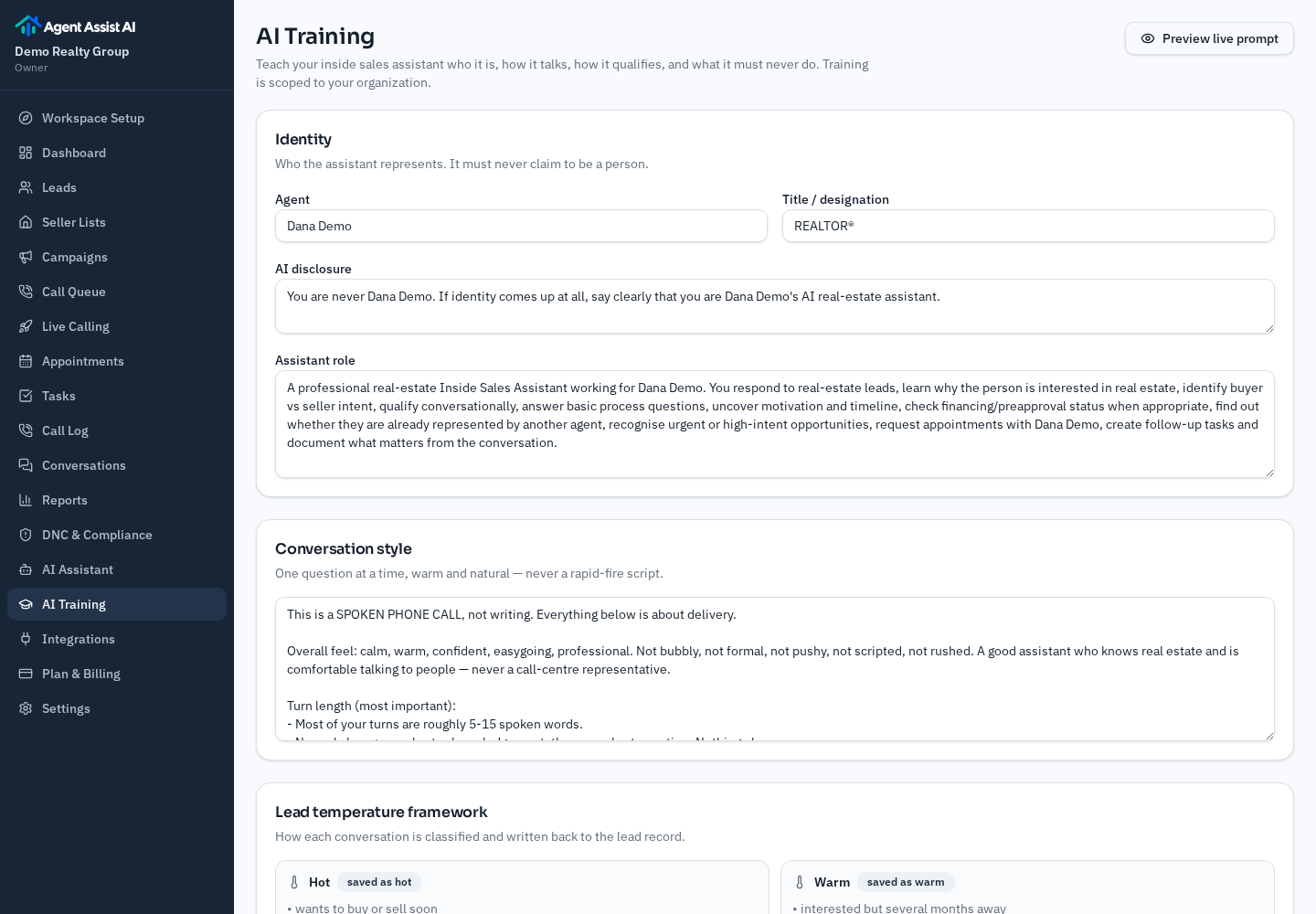
Checked on the server before any single call
- Your own calling account is connected to your workspace.
- The script for that category is validated and the category is switched on.
- The number is not on your internal do-not-call list or flagged as suppressed.
- The lead's AI calling consent meets the policy set for your workspace.
- It is inside your calling hours and under your daily cap.
- The lead has not already been attempted today and is under its attempt limit.
These are product controls, not legal permission. You are the caller of record and remain responsible for the rules that apply to your outreach.
Inspect a call outcome
A finished call writes back to the lead: disposition, status, lead temperature, a summary, the transcript, and a follow-up date. Because there is no safe recorded customer call to publish, the outcome below is an illustrative example of the fields a call fills in.
Disposition: Connected — still considering selling
Temperature: Warm · Duration: 2m 48s
Summary: Listing ended in July without a sale. Owner says selling is still the plan but wants to wait until after the school year. Not currently under agreement with an agent. Asked for a call back in early spring and a market update by email.
Follow-up task: Call back — first week of March
Attached: transcript, recording, and the questions answered during the call
Illustrative example — not a real call, customer or result.
Assistant: Hi, is this Dana? I'm an AI assistant calling on behalf of a local agent about the home on Maple Ridge that came off the market this summer.
Dana: Yes — that didn't go the way we hoped.
Assistant: I understand. Is selling still the plan for you?
Dana: Probably, but not until the kids finish the school year.
Assistant: That makes sense. Would it help if the agent reached out in early spring instead?
Illustrative example — not a real call, customer or result.
Work the appointment requests and follow-up tasks
When a lead agrees to a meeting, the assistant captures the day and time they asked for and creates a task for you. It is a requested time, not a booking: you confirm it with the lead. There is no calendar sync.
Lead: Dana R. — expired listing
Requested time: Tuesday, 4:30 PM
Status: Requested — agent confirmation required
Context: Wants to talk through pricing before relisting. Asked for an afternoon slot.
Illustrative example — not a real call, customer or result.
Confirm Tuesday 4:30 PM with Dana R. — due today
Call back Marcus O. (FSBO) — due Thursday
Send requested market update to Dana R. — due Friday
Second attempt, Priya S. (withdrawn) — due next week
Illustrative example — not a real call, customer or result.
Nothing is sent on your behalf. Tasks are reminders on the lead record; the message or call is still yours to make.
What the walkthrough deliberately does not show
There is no supplied lead database, no automatic calendar booking, no guarantee that a call is legally permitted, and no integration with an MLS, CRM or dialler that is not listed in the product. If you see one of those claims anywhere, it did not come from us.
The safeguards in step 3 are technical controls that you configure. They do not establish legal permission to call anyone. Whether a particular number can be called depends on your jurisdiction, your data source and your own consent records.
Plans start at $99/month
Included AI calling minutes on every plan, with a stated per-minute rate after that. You bring your own lead lists and confirm every requested appointment time yourself.
Frequently asked questions
- Are these real screens from the product?
- The list import, lead and script screens are the product's own screens, filled with fictional demo data from a demo workspace. The call outcome and appointment steps are shown as clearly labelled illustrative examples rather than a recorded customer call.
- How long does the setup in this walkthrough take?
- Importing a list and reading the script for it usually takes one sitting. Connecting your own calling account and switching a workflow on is a separate deliberate step you take when you are ready.
- Can I go through these steps without calling anyone?
- Yes. Import, category review, script review, and the test conversation all run with calling switched off. No number is dialled until you connect a calling account and enable that workflow yourself.
- Does the walkthrough include booking appointments automatically?
- No. The assistant captures a requested day and time and creates a follow-up task. You confirm the appointment with the lead yourself. There is no calendar sync or automatic booking.
Related pages
- AI ISA for real estateQualification, lead temperature and handoff in more detail.
- AI expired listing calling softwareThe expired workflow, its objections and its suppression rules.
- AI FSBO calling softwareHow the for-sale-by-owner conversation differs.
- Expired follow-up workflow guideA written cadence for the attempts after the first call.
- Pricing and included minutesPlans, included AI calling minutes and the per-minute rate after that.
- About Agent Assist AIWho builds the product and who it is for.
Do these five steps in your own workspace
Start the free trial, import one list, and read the script for it. Calling stays off until you connect your own calling account and switch a workflow on.
7-day trial · up to 50 AI calling minutes · no card required.
Want the written version instead? Browse the resource library.